
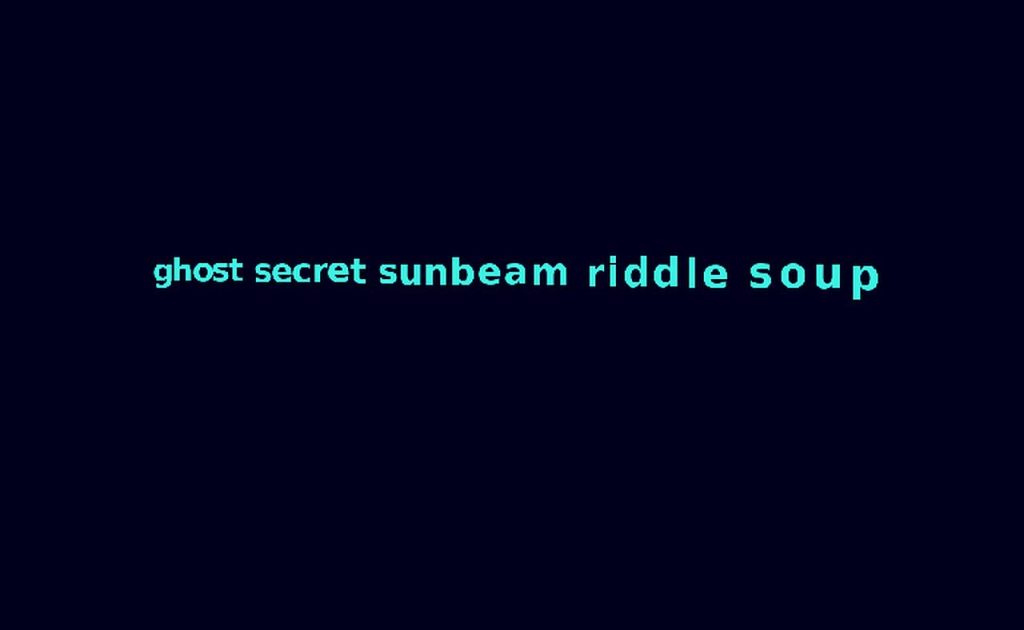
𝐹𝑖𝑣𝑒 𝑤𝑜𝑟𝑑𝑠 𝑡𝑎𝑘𝑒 𝑡ℎ𝑒𝑖𝑟 𝑓𝑙𝑖𝑔ℎ𝑡
𝐸𝑐ℎ𝑜𝑒𝑠 𝑑𝑎𝑛𝑐𝑒 𝑖𝑛 𝑒𝑛𝑑𝑙𝑒𝑠𝑠 𝑠𝑡𝑟𝑒𝑎𝑚𝑠
𝐼𝑑𝑒𝑎𝑠 𝑓𝑖𝑛𝑑 𝑡ℎ𝑒𝑖𝑟 𝑙𝑖𝑔ℎ𝑡.
This is a tiny piece of code that is merely the beginning of a 𝕥𝕖𝕩𝕥 𝕖𝕟𝕘𝕚𝕟𝕖 rabbit hole I’ve gone down over the past week! More to come! But for now all you need are five words. You can customize it with as many other words as you like in the lists in the code. You’ll still get no more than five words at a time. There’s vague grammar logic being employed and the 5 words are rapidly replaced by 5 more words depending on the audio input. Louder is faster.
ℂ𝕆ℕ𝕋ℝ𝕆𝕃𝕊 𝔼𝕩𝕡𝕝𝕒𝕚𝕟𝕖𝕕:
Knob 1: Y-Axis Rotation Speed & Stutter Enable
This knob primarily controls how fast the text rotates around its vertical axis (Y-axis). Turn it clockwise for faster rotation.
Special Feature: If you turn Knob 1 almost all the way counter-clockwise (to a very low value, near zero), it activates an audio-reactive “stutter” or pause effect.
Knob 2: Word Count & Stutter Duration
This knob has a dual function:
Word Count: It controls how many words are generated in each phrase (from 1 to 5 words). Turn it clockwise for more words.
Stutter Duration: When the audio “stutter” is active (because Knob 1 is very low), Knob 2 then controls how long that stutter or pause lasts (from a short flicker to a longer hold).
Knob 3: Overall Zoom/Scale
This knob adjusts the perceived distance of the text. Turning it clockwise makes the text appear larger and closer to the viewer, effectively zooming in.
Knob 4: Color Palette (Text & Background)
This knob cycles through Eyesy’s built-in color palettes. It changes the colors of both the text and the background, with the background often being a complementary or shifted version of the text color.
Knob 5: X-Axis Tilt Angle
This knob controls the horizontal tilt of the entire phrase. You can tilt the text backwards, make it flat, or tilt it forwards.
Turn it counter-clockwise to tilt the text back.
Keep it centered for a flat presentation.
Turn it clockwise to tilt the text forward.
( ̶T̶o̶ ̶b̶e̶ ̶t̶o̶t̶a̶l̶l̶y̶ ̶h̶o̶n̶e̶s̶t̶ ̶I̶ ̶a̶m̶ ̶n̶o̶t̶ ̶s̶u̶r̶e̶ ̶t̶h̶e̶ ̶c̶u̶s̶t̶o̶m̶_̶w̶o̶r̶d̶s̶.̶t̶x̶t̶ ̶f̶i̶l̶e̶ ̶l̶o̶a̶d̶i̶n̶g̶ ̶i̶s̶ ̶w̶o̶r̶k̶i̶n̶g̶ ̶b̶u̶t̶ ̶h̶e̶y̶,̶ ̶g̶i̶v̶e̶ ̶i̶t̶ ̶a̶ ̶s̶h̶o̶t̶!̶ I was listening to lots of old underworld bootlegs while making this one)
More on this textual theme coming soon…
[ For an enhanced experience I suggest checking out my enhanced Eyesy Console Report page available here: https://tinyurl.com/eyesyconsolereportplus ]
Update notes for V0.91: added a variable to the number of words reported being currently generated in the console… yes, I am all weird about the console reports ¯\_(ツ)_/¯
Update notes for V0.92: Fixed the loading of custom_words.txt from the ‘content’ folder. By default this folder is loaded first unless it isn’t present whereas it defaults to an internal backup list. Currently the contents of the text file and the backup list are the same. But you can change the words, both in the code and in the text file, if you’d like to customize your textual experience.
